

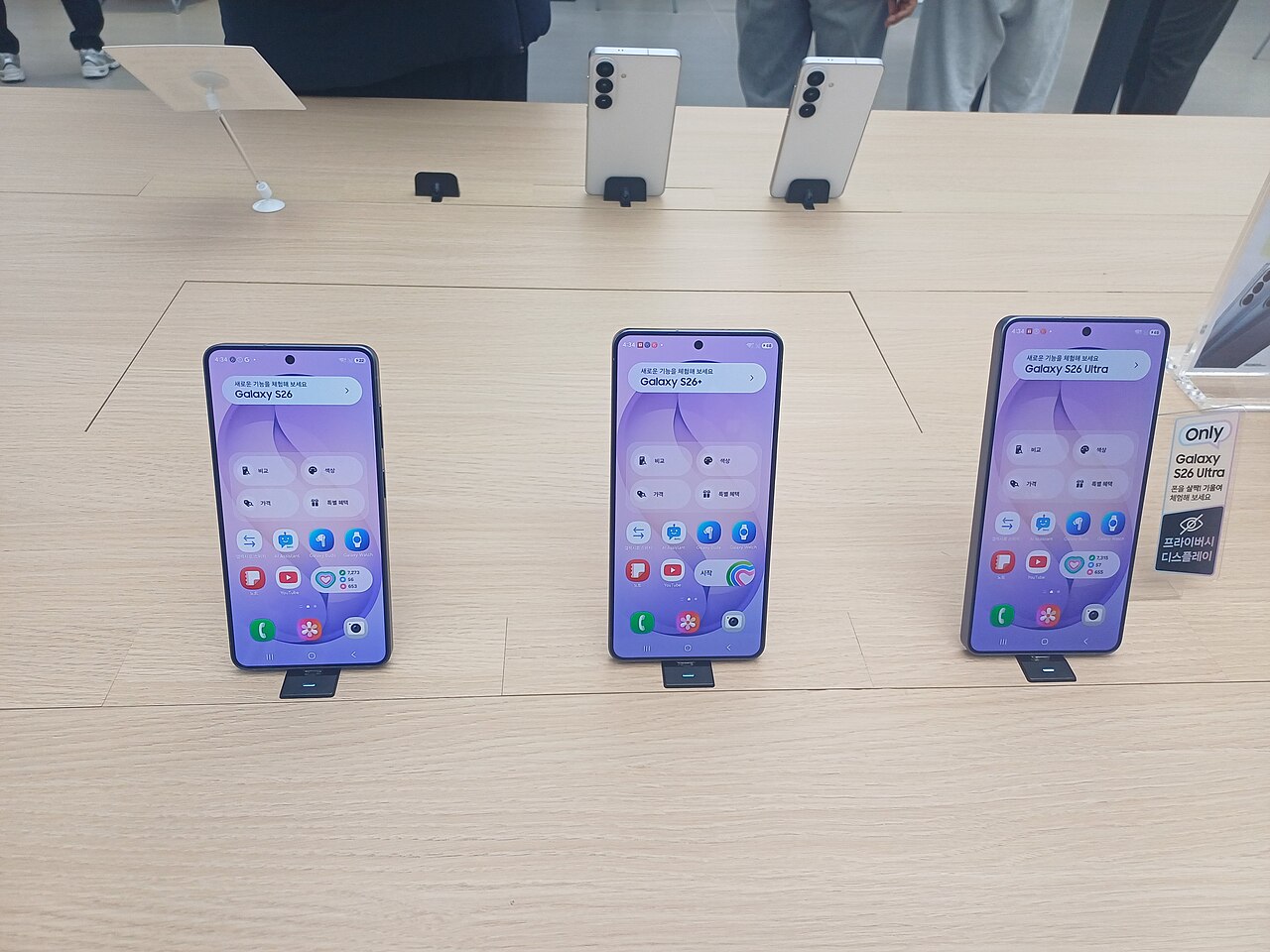
The One UI 9.5 update is now available in beta for Galaxy S26 users. This new update introduces several exciting features and improvements.
Overview of One UI 9.5
Samsung has officially launched the beta version of its highly anticipated One UI 9.5 update, showcasing several exciting features designed to enhance user experience on the Galaxy S26. This latest release aims to streamline functionality and improve overall performance, making it a noteworthy upgrade for Samsung enthusiasts.
One of the standout features in this update is the revamped notification panel, which offers a more organized layout and customizable options. Users can now easily manage their notifications, ensuring that important alerts are prioritized. Additionally, the update introduces improved multitasking capabilities, allowing users to run multiple applications seamlessly side by side.
Another major enhancement is the updated Dark Mode, which not only reduces eye strain but also optimizes battery usage for devices with AMOLED displays. Other notable features include:
- Enhanced camera functionalities for photography enthusiasts
- New privacy controls to safeguard user data
- Performance optimizations for faster app launches
Overall, the One UI 9.5 update promises a more intuitive and feature-rich experience for Galaxy S26 users.
Key Features in One UI 9.5
The latest One UI 9.5 update introduces several exciting features that enhance the user experience on Samsung devices. Users can look forward to improvements in both functionality and aesthetics, making everyday tasks more efficient and enjoyable.
- Revamped Notification Panel: The notification panel has been redesigned for easier access and improved organization, allowing users to manage alerts seamlessly.
- Enhanced Dark Mode: One UI 9.5 brings a more refined dark mode, optimizing battery life while providing a sleek visual experience across apps.
- Smart Widgets: New smart widgets offer personalized information at a glance, adapting to user habits and preferences for a truly customized home screen.
- Improved Security Features: The update enhances privacy controls, allowing users greater control over app permissions and data sharing.
- Samsung DeX Enhancements: Users will benefit from an upgraded Samsung DeX experience, facilitating a smoother transition between mobile and desktop environments.
These features make the One UI 9.5 update a significant step forward for Samsung’s software ecosystem, promising a more intuitive and engaging experience for Galaxy users.
How to Install the Beta Version
Installing the beta version of the One UI 9.5 update on your Galaxy device is a straightforward process. Follow these steps to ensure a smooth installation:
- Check Eligibility: Ensure your device is compatible with the beta program. Currently, the program is available for select models, including the Galaxy S26 series.
- Join the Beta Program: Open the Samsung Members app on your device. Look for the One UI 9.5 beta program banner and tap on it to register.
- Download the Update: Once registered, go to Settings, then Software Update, and select Download and Install. Your device will check for the latest beta version.
- Install the Update: After the download is complete, follow the on-screen instructions to install the One UI 9.5 update. Ensure your device is sufficiently charged before proceeding.
- Provide Feedback: As a beta tester, your feedback is valuable. Report any issues or suggestions through the Samsung Members app.
User Feedback on One UI 9.5
Since the rollout of the One UI 9.5 update, user feedback has been overwhelmingly positive, with many praising the enhancements and new features. Galaxy S26 users have taken to various platforms to share their experiences, highlighting several key aspects that stand out.
- Improved Performance: Many users report a noticeable boost in speed and responsiveness, making daily tasks smoother.
- User Interface Enhancements: The updated design elements and customization options have received accolades for their aesthetic appeal and usability.
- Battery Life Improvements: Several users have mentioned that the update has positively impacted battery longevity, allowing for longer usage times.
- New Features: The introduction of enhanced multitasking capabilities and productivity tools has been particularly well-received.
However, some users have encountered minor bugs, which is common in beta releases. Samsung is actively collecting feedback to address these issues, further improving the overall experience before the final launch.
Comparing One UI 9.5 to Previous Versions
As Samsung continues to refine its user interface, the One UI 9.5 update marks a significant evolution compared to its predecessors. Users have noted several enhancements that contribute to a more intuitive experience.
One of the most noticeable differences is the improved performance speed. Compared to One UI 9.0 and 9.1, the 9.5 version boasts snappier app launches and smoother navigation. The optimization of background processes has also reduced lag, making multitasking more efficient.
In terms of design, One UI 9.5 introduces a more cohesive aesthetic with updated icons and refined menus. The color palette has been adjusted for better visibility and a more modern look, aligning with current design trends.
Additionally, the new update enhances privacy features, offering users more control over app permissions. This is a significant upgrade from previous versions, which had limited options for managing personal data.
- Performance improvements
- Redesigned user interface
- Enhanced privacy controls
Potential Bugs in the Beta Release
As users dive into the beta version of the One UI 9.5 update, some have reported experiencing potential bugs that could affect their overall experience. While beta releases are often subject to issues, being aware of these bugs can help users navigate their devices more effectively.
Feedback from beta testers has highlighted several areas of concern:
- App Crashes: Some users have experienced frequent crashes with popular applications, particularly those that utilize heavy graphics.
- Battery Drain: A noticeable increase in battery consumption has been reported, leading to shorter usage times between charges.
- Connectivity Issues: Problems with Wi-Fi and Bluetooth connections have emerged, causing intermittent disconnections.
- User Interface Glitches: Users have noted occasional lags and freezes when navigating through menus or switching between apps.
Samsung is actively working to address these issues, and users are encouraged to provide feedback to help improve the final release of the One UI 9.5 update.
Future Updates and Improvements
As Samsung continues to enhance the user experience, the One UI 9.5 update is expected to pave the way for future improvements and features. Users can look forward to several planned updates that aim to refine and optimize the current functionalities.
Key areas of focus for upcoming updates include:
- Performance Enhancements: Samsung is committed to improving the overall speed and responsiveness of the interface, ensuring a smoother user experience.
- Battery Optimization: Future patches may introduce better battery-saving features, extending device longevity throughout the day.
- Expanded Customization Options: Users can expect more themes and layout adjustments to personalize their devices further.
- Enhanced Security Features: With each update, Samsung aims to bolster device security, protecting user data against emerging threats.
Overall, the ongoing development of the One UI 9.5 update reflects Samsung’s dedication to delivering a refined and user-friendly experience for all Galaxy device owners.
Conclusion on One UI 9.5 Update
The release of the One UI 9.5 update marks another significant step forward for Samsung as it continues to refine its user experience across devices. This latest update brings a host of exciting features and enhancements that demonstrate Samsung’s commitment to innovation and user satisfaction.
With improvements in functionality, design, and overall performance, users can expect a smoother interaction with their devices. The beta testing phase has provided valuable insights from users, helping to identify and address potential bugs before the final release. This collaborative approach not only enhances the software but also builds a stronger community among users.
As Samsung prepares for future updates, the feedback from the One UI 9.5 beta will play a crucial role in shaping the final product. Overall, early impressions suggest that One UI 9.5 is set to elevate the smartphone experience, making it a noteworthy update for Galaxy S26 users and beyond. As always, staying informed about the latest changes will ensure users can maximize the benefits of this new software update.
via Wikimedia Commons
Read the original
GTA 6 launch: The Worst Impact on Work and Family Life · Sony WH-CH730N Headphones: Best Proven Audio Quality · Is European cooperation in space the best approach for growth?